
Review internal inventory transfers
Find warehouse movements, inspect missing fields, and prepare lines for export.
On this page
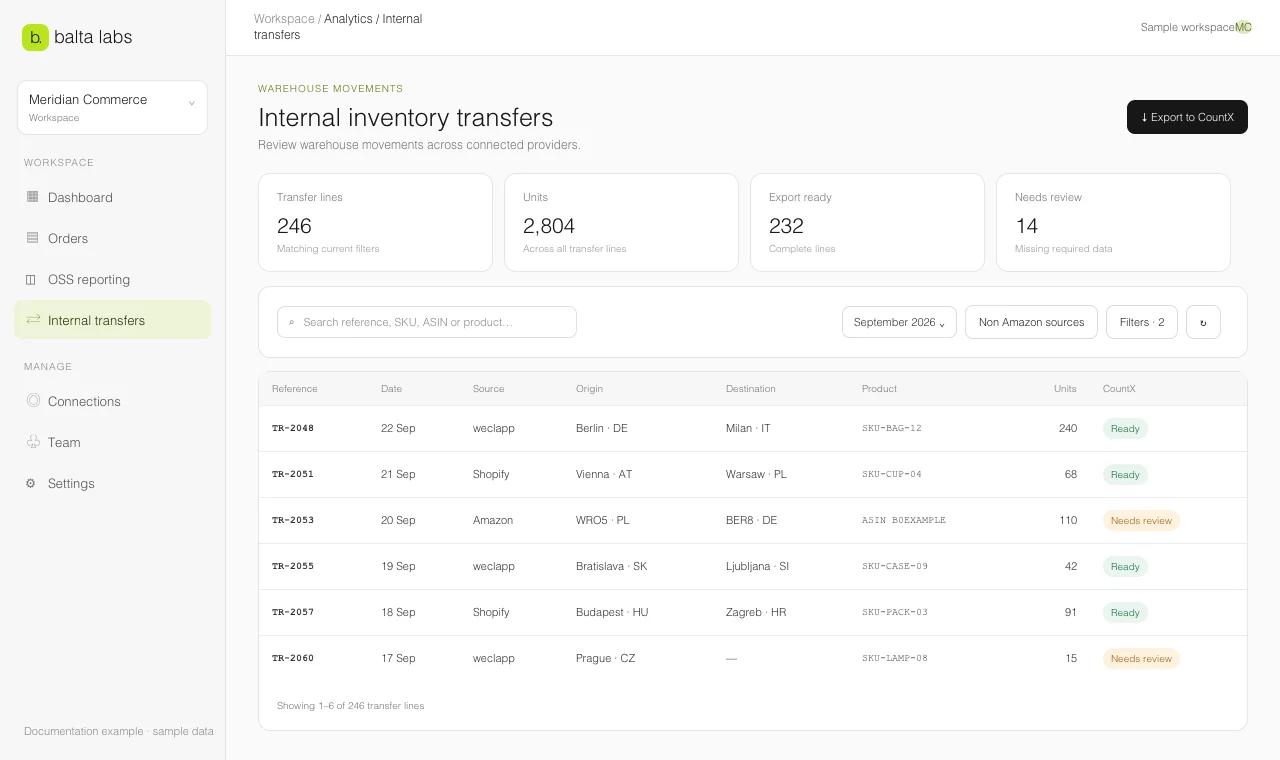
Internal inventory transfers shows stock movements between warehouses from supported connected sources. It is separate from sales reporting: a transfer moves inventory, while an order records a customer transaction. The workspace currently supports transfer imports from weclapp, Shopify, and Amazon. Allegro and bol supply order data but do not supply this transfer view.
Find a transfer
- Open Tools → Analytics → Internal inventory transfers.
- Choose the date range and, if useful, a provider or source account.
- Search by reference, SKU, ASIN, or product. Use Filters for origin and destination countries, warehouses, status, fulfillment provider, and export readiness.
- Select a line to open Transfer details. Compare the source, route, quantity, item identifier, and any Data to review messages.
The summary distinguishes total lines, units, Export-ready lines, and Lines to review. Use Sync transfers to request an update for the supported sources in the current scope. Sync runs in the background; the source status refreshes when it finishes.
Understand a review status
A line may need review when the posting date, origin, destination, country, fulfillment provider, item identifier, or valid quantity is missing. It can also need review when a matching stock movement has not arrived or when outgoing and incoming quantities disagree. A movement with no shipping date may use its creation date, which can differ from the actual movement date. A movement with neither date stays visible for review across periods and needs a date for CountX export.
The same movement can appear in more than one source. Select the authoritative source for a CountX report instead of adding duplicate transfer lines together. Use Non-Amazon sources when you need to inspect the other connected sources separately.
Amazon provides a limited ledger history, and today’s movements can appear after the day closes. Shopify transfers are rescanned to capture later edits and cancellations. If a recent movement is absent, check the source status and its available history before retrying.
When the lines are understood, preview the CountX export.